PixToPrompt / The 1980s collection
Your 1980s portrait, made from your photo.
Turn one clear portrait into a soft studio sitting or a sun-warmed denim snapshot. Choose your look and keep the prompt editable.
One reference photo. One credit per generation.
Sign in to upload and generate. You can copy the prompts below without an account.
JPG, PNG or WebP · Up to 10 MB. For couples or families, use one photo containing everyone.
Edit the prompt (optional)
634/1,000 characters · Facial likeness can vary.
Use photos you have permission to edit. Your upload is sent to our storage and AI provider when you generate.
Check eyes, expression and facial proportions side by side.
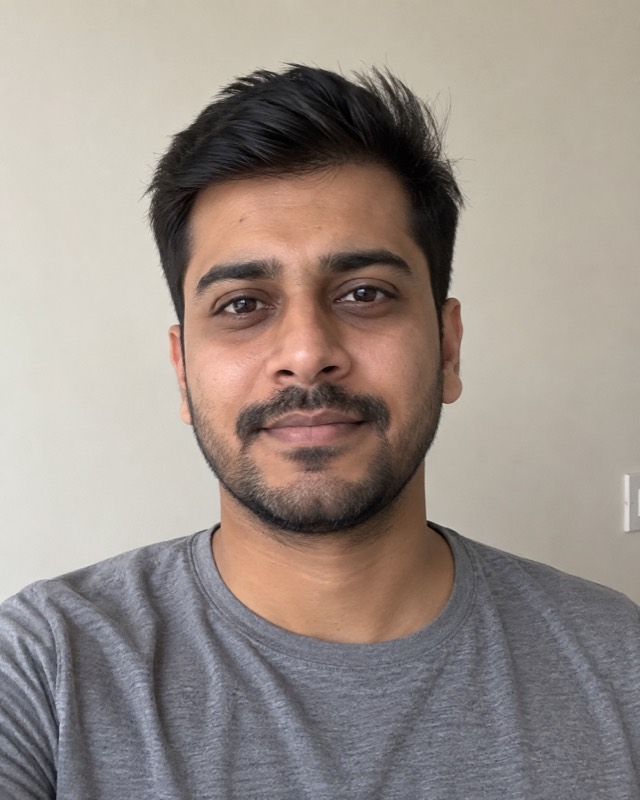
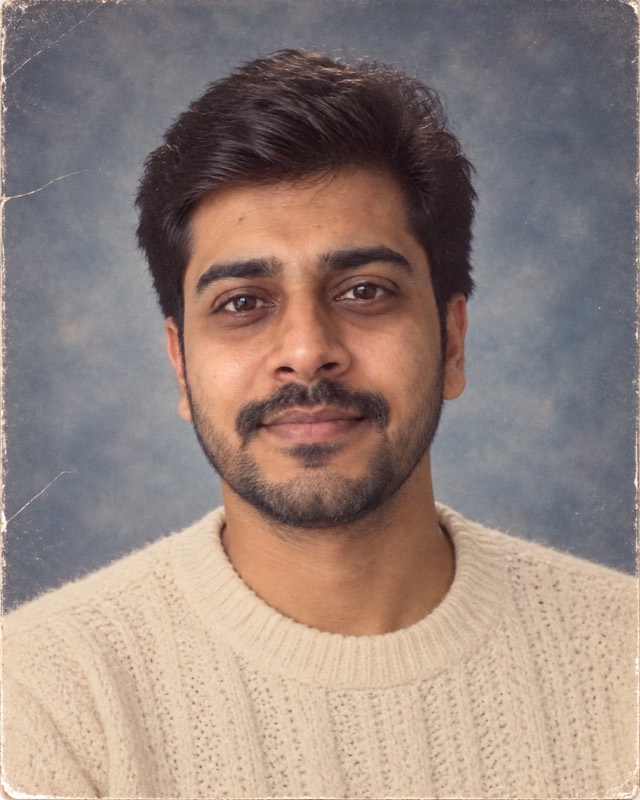
Example made with this tool from an AI-generated fictional person — not a real customer photo. Your own result will replace it.
Explore the copy-ready promptsFind a look. Keep the prompt.
A single-subject retro portrait has exactly one way to fail badly: the photograph comes back looking like a well-dressed stranger. Everything on this page is about that one problem — why a model lets a face drift, and which parts of the prompt and of your source photograph decide whether it holds.
Copy any of these without signing in. In ChatGPT or another image editor, attach your own photo before pasting the text. Results vary by model.
The school photographer's stool, a laser backdrop and a polite smile.
Edit the uploaded photo into a realistic photograph from 1985. Preserve each person's recognizable facial features, apparent age, skin tone and expression. Keep natural skin texture, subtle film grain and slightly faded print colors. No modern devices, logos, text or watermarks. One person in a 1980s school yearbook portrait, shoulders angled to the camera and head turned back to the lens, collared shirt or blouse under a simple sweater, a dark blue laser-beam studio backdrop, one soft key light with a weak hair light, and the shallow depth of a school photographer's lens. Keep the existing hairline and only add modest volume.
Use this look with my photoPastel backdrop, soft diffusion and a shopping-centre studio.
Edit the uploaded photo into a realistic photograph from 1985. Preserve each person's recognizable facial features, apparent age, skin tone and expression. Keep natural skin texture, subtle film grain and slightly faded print colors. No modern devices, logos, text or watermarks. One person in a 1980s shopping-centre glamour portrait, soft pastel graduated backdrop, heavy diffusion on the key light, a gentle vignette, an oversized blouse or jacket with structured shoulders, and soft feathered hair adapted to their existing hair. Keep natural skin texture and pores; do not smooth or slim the face.
Use this look with my photoWhy your face drifts
An image editor is balancing two instructions that pull against each other: make this look like 1985, and keep this particular person. Every additional styling change you request spends some of the attention that was holding the face together. Ask for new hair, a new jawline-framing collar, a different expression and a new camera angle, and the model has been given permission to redraw the head.
This is why identity preservation is not a phrase you add at the end for luck. It is a constraint that has to be specific enough to compete with everything else in the prompt. Naming the features — facial structure, eyes, eyebrows, nose, apparent age, skin tone — works better than a general request to keep the person recognisable, because a general request is easy for the model to satisfy loosely.
Your source photo decides most of the outcome
No prompt recovers information that was never in the photograph. If the model cannot see your face clearly, it will invent the parts it cannot see, and those invented parts are exactly what makes the result feel like someone else.
- Face the camera
- A front-facing or slightly angled portrait gives the model both sides of the face. A steep profile leaves half of it to guesswork.
- Even light, visible eyes
- Deep shadow across one side, sunglasses, or a hat brim cutting the eyes all remove the features people actually recognise each other by.
- Start unfiltered
- A beauty filter has already smoothed away the skin texture and softened the features. Editing a filtered photo means editing a face that has been altered once already.
- Leave room around the hair
- Eighties styling adds volume. A crop that ends at your hairline forces the model to invent the top of your head.
- Crop to one person
- Cutting yourself out of a group shot often leaves a shoulder or hand belonging to someone else, and the model will try to make sense of it.
Spend the era on clothing, not on your face
The wardrobe, the backdrop and the light can carry the whole decade without touching your features. That is the trade worth making: let the knitwear, the painted backdrop and the soft frontal key light say 1985, and ask for as little change to the head as you can accept.
Hair is the exception you usually do want, and it is also the riskiest single request. Ask for volume adapted to your existing cut rather than a period hairstyle in the abstract. A prompt that names a specific decade hairstyle tends to replace your hair entirely, and hair frames the face closely enough that replacing it reads as replacing the person.
Some changes should be made one at a time or not at all. Removing glasses, altering facial hair and changing the expression are each a meaningful edit to the centre of a face; requesting all three together is one of the most reliable ways to lose a likeness.
The smoothing trap
Retro portraits often come back looking younger and smoother than the person who supplied the photograph, and people usually read this as the model being flattering. It is actually the failure mode in disguise. Pores, fine lines, uneven skin tone and the exact pattern of stubble are a large part of how a face is recognised. Smooth them and the result becomes generically attractive and specifically nobody.
Asking for natural skin texture is worth a line in every prompt, and it is worth checking first when you compare the result with your original. If the skin looks like a phone camera's beauty mode, the likeness has already gone regardless of how well the clothing turned out.
Questions people ask about this one
Will the portrait look exactly like me?
Can I keep my glasses?
Why did my beard change shape?
What if I wear a hijab, turban or other head covering?
How many attempts should a good portrait take?
The rest of the 1980s collection
- 1980s AI Photo Prompts & Photo GeneratorStart here for the whole prompt set and how to run it in ChatGPT
- 1980s Couple Photo Generator & 80s Couple PromptsTwo people, and how to keep the faces from merging
- 1980s Bollywood Photo Generator & Retro Indian PromptsHindi, Kerala and wider South Indian period styling
- 1990s couple portrait promptThe neighbouring decade, for comparison
- Extract a prompt from any reference imageSaw someone else’s retro photo? Get the prompt behind it