PixToPrompt / The 1980s collection
1980s couple photos. The two of you, back in time.
Bring one photo with both people. Create a warm 1980s couple portrait with coordinated clothes, soft flash and two distinct faces.
One reference photo. One credit per generation.
Sign in to upload and generate. You can copy the prompts below without an account.
JPG, PNG or WebP · Up to 10 MB. For couples or families, use one photo containing everyone.
Edit the prompt (optional)
531/1,000 characters · Facial likeness can vary.
Use photos you have permission to edit. Your upload is sent to our storage and AI provider when you generate.
Check eyes, expression and facial proportions side by side.
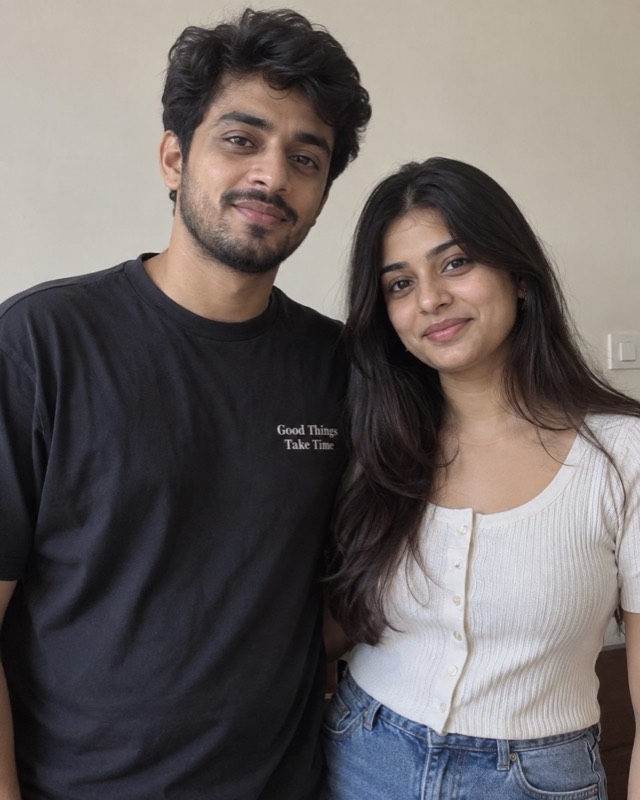
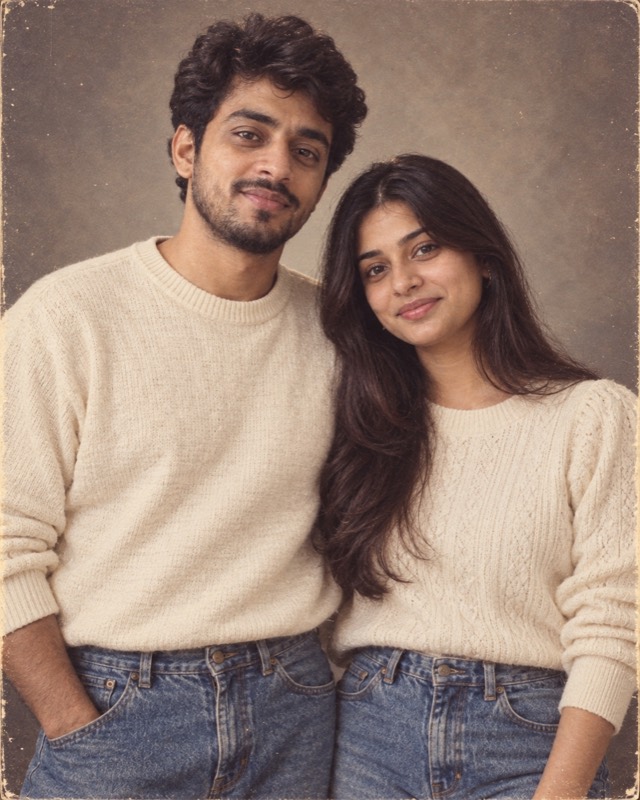
Example made with this tool from an AI-generated fictional person — not a real customer photo. Your own result will replace it.
Explore the copy-ready promptsFind a look. Keep the prompt.
Couple edits do not fail the way single portraits fail. With one person the risk is drift; with two, the model frequently stops treating them as two people at all. This page is about that specific problem, because a prompt written for one face will not hold two no matter how carefully it is worded.
Copy any of these without signing in. In ChatGPT or another image editor, attach your own photo before pasting the text. Results vary by model.
Two familiar faces in one warm, softly lit studio portrait.
Edit the uploaded photo into a realistic photograph from 1985. Preserve each person's recognizable facial features, apparent age, skin tone and expression. Keep natural skin texture, subtle film grain and slightly faded print colors. No modern devices, logos, text or watermarks. Keep exactly the same two people in their original left-to-right order. Preserve both faces separately; do not blend them. Waist-up framing, coordinated cream and denim clothing, warm gray studio backdrop, gentle flash and a natural affectionate pose.
Use this look with my photoA sofa, a flash and the two of you on an ordinary evening.
Edit the uploaded photo into a realistic photograph from 1985. Preserve each person's recognizable facial features, apparent age, skin tone and expression. Keep natural skin texture, subtle film grain and slightly faded print colors. No modern devices, logos, text or watermarks. Keep exactly the same two people in their original left-to-right order, each face preserved separately with its own bone structure and expression; do not blend, swap or mirror their features. A candid 1980s snapshot on a patterned sofa in a wood-panelled room, direct on-camera flash, casual period knitwear and jeans, and an imperfect handheld framing. Keep hands plausible where they touch.
Use this look with my photoThe model is treating you as one subject
An image editor works from a description of a scene. When that description says a couple in a warm studio portrait, it has been handed one subject with two heads rather than two people with separate identities, and the failure modes follow from that.
- The larger face wins
- Whoever occupies more of the frame tends to be preserved; the smaller or further face is redrawn more freely.
- Features migrate
- A nose, an eye shape or a jawline from one person appears on the other, producing two people who suddenly look related.
- Hair gets swapped
- Period styling applied to the pair as a unit will happily give one person the other's hairline.
- Matching smiles appear
- Models invent symmetry. Two different expressions in the original often return as one expression worn twice.
- Hands are rebuilt
- Where bodies touch — an arm around a shoulder, joined hands — the model has to reconstruct an overlap, and this is where extra fingers and impossible wrists appear.
Anchor the two of you separately
The fix is to stop describing a couple and start describing two people who happen to be in the same photograph. Three instructions do most of the work, and they belong in the prompt rather than in a follow-up message.
State the order explicitly — the person on the left and the person on the right — so the model has a way to keep track of which face is which. Forbid the merge in plain terms: preserve both faces separately, do not blend or exchange features between them. And scope the change: only the hair, clothing, lighting and setting may change; facial structure may not.
Where a single-portrait prompt can get away with one identity clause, a couple prompt needs the clause to apply to each person by position. It reads as repetitive. It is repetitive on purpose.
Which photograph of the two of you to use
One photograph containing both people works better than two separate portraits, because the model is being asked to edit a scene rather than assemble one. A composite built from two headshots gives it a seam to resolve, and the resolution is usually a blend.
- Both faces lit the same way
- If one of you is in shadow and the other in daylight, the model will normalise the lighting and redraw the darker face while doing it.
- Both faces fully visible
- A cheek resting on a shoulder, a face half behind the other, sunglasses on one person — each hidden area is an invitation to invent.
- Waist-up beats full-length
- A closer crop gives more pixels per face and fewer hands, arms and legs to reconstruct.
- Keep the pose you already have
- Asking for a new affectionate pose on top of a new decade means rebuilding the bodies and their overlap. Keep the arrangement and change the clothes.
Checking a couple result properly
Look at each face on its own against the original, one at a time. Side-by-side comparison of the whole image hides single-face drift, because the picture as a whole still reads as the two of you and the brain fills in the rest.
Then check three things people routinely miss: whether the two faces have started to resemble each other more than they did before, whether the hands where you touch have the right number of fingers and plausible wrists, and whether the expressions are still different from one another. If one face is right and the other is not, the most effective next step is a clearer source photograph rather than a longer prompt.
Questions people ask about this one
Can I upload two separate photos, one of each of us?
Why do we look like siblings in the result?
One of us looks right and the other does not. Why?
Does this work for three or more people?
We are very different heights. Does that matter?
The rest of the 1980s collection
- 1980s AI Photo Prompts & Photo GeneratorStart here for the whole prompt set and how to run it in ChatGPT
- 1980s Portrait Generator & Retro Photo PromptsOne person, and how to stop the face drifting
- 1980s Bollywood Photo Generator & Retro Indian PromptsHindi, Kerala and wider South Indian period styling
- 1990s couple portrait promptThe neighbouring decade, for comparison
- Extract a prompt from any reference imageSaw someone else’s retro photo? Get the prompt behind it