
Turn this photo into a professional LinkedIn headshot: business-casual attire, soft flattering studio light, neutral gray background, sharp eyes, natural skin, keep the likeness.
Subject
the uploaded person, professional
Composition
head and shoulders, centered
Lighting
soft key + fill, flattering
Style
clean corporate headshot
Camera
85mm, f/2.8
Negative
casual clothing, busy background
Try it yourself
Get a prompt like this from your own photo
Upload your image and PixToPrompt writes a copy-paste prompt — then tweak it like the template below.
Free & instant — no sign-up to get prompts
Your image
Or try one
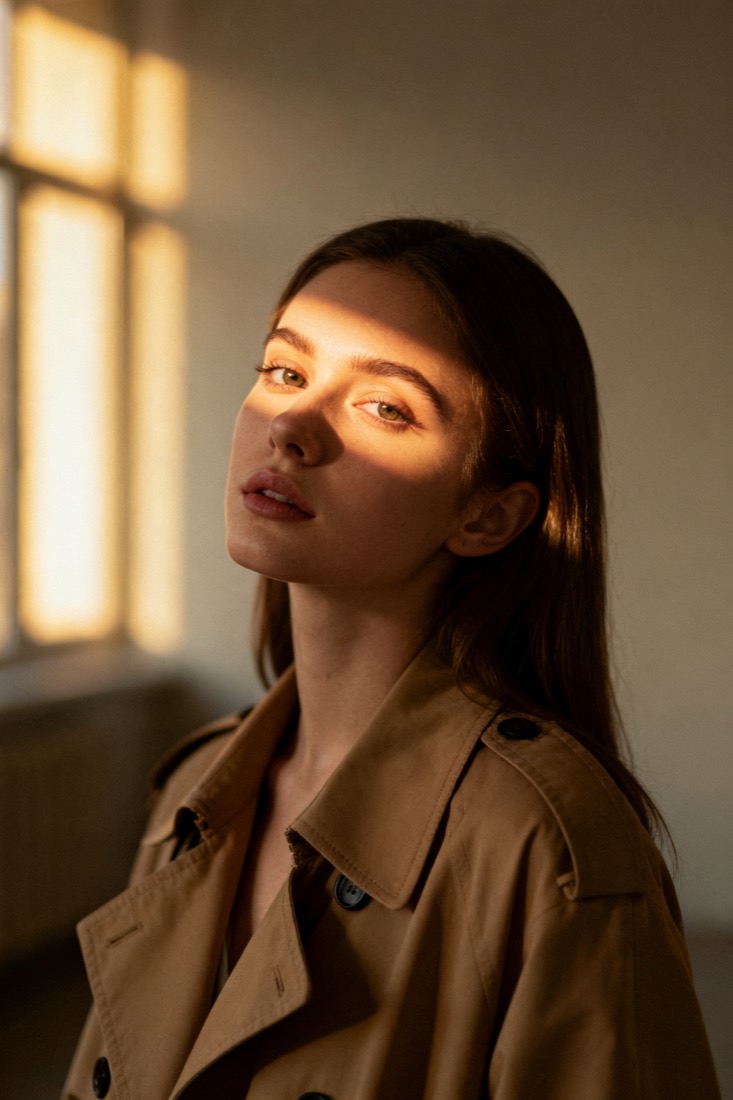
A cinematic waist-up portrait of a young woman in a beige trench coat, lit by soft window light, muted earth tones, shallow depth of field, shot on an 85mm lens.
Subject
woman, beige trench coat
Composition
waist-up, centered
Lighting
soft window light
Style
cinematic, muted
Camera
85mm, f/1.8
Negative
blur, extra fingers
Copy this prompt for any model
The same look needs different wording per model — the fields are identical, only the formatting changes. Copy the version your tool actually reads:
Turn this photo into a professional LinkedIn headshot: business-casual attire, soft flattering studio light, neutral gray background, sharp eyes, natural skin, keep the likeness.
the uploaded person, professional, head and shoulders, centered, clean corporate headshot, soft key + fill, flattering, 85mm, f/2.8 --ar 1:1 --style raw --v 6
the uploaded person, professional, head and shoulders, centered, clean corporate headshot, soft key + fill, flattering, 85mm, f/2.8, highly detailed
Negative prompt: casual clothing, busy background
About this look
An AI LinkedIn headshot prompt turns a casual photo into a polished, professional portrait suitable for a profile. The levers are corporate, not artistic: soft key plus fill lighting for flattering, even illumination, an 85mm f/2.8 lens for a natural head-and-shoulders look, and a neutral gray background that reads as a real studio. Business-casual attire and sharp eyes are what make it look hireable, while the negatives — casual clothing, busy background — strip out anything that undermines the professional tone. Gemini's editing mode keeps your likeness while upgrading the wardrobe and lighting. Tip: start from a front-facing photo with a neutral expression and unobstructed eyes; the headshot inherits a much stronger, more confident result.
Why this prompt works
A headshot that reads as professional is a set of corporate conventions, and the prompt encodes them precisely rather than asking vaguely for professional. Soft key plus fill lighting is the standard portrait two-light setup: a main light for shape and a fill to lift the shadows, giving the even, flattering look of a real studio. An 85mm f/2.8 lens keeps head-and-shoulders proportions natural and the background gently soft, without the heavy blur of a fashion portrait. A neutral gray background is the universal corporate backdrop — it reads as a studio and never competes. Business-casual attire and sharp eyes are the human cues that make someone look hireable and present. The negatives strip out casual clothing and a busy background, the two things that undercut the tone. Run as a Gemini edit, it upgrades wardrobe and light while keep the likeness protects your actual face.
The ideal source photo
Start from a front-facing photo with a neutral, friendly expression and unobstructed eyes, lit evenly. The edit upgrades your wardrobe and lighting, but it keeps the face it can clearly see, so avoid sunglasses, hats, extreme angles, or heavy filters. A plain background and soft daylight give the cleanest base for the studio look the prompt builds.
How to use this prompt
- 1Start from a front-facing photo with a neutral expression and unobstructed eyes.
- 2Copy or load the prompt, keeping business-casual attire and the neutral gray background.
- 3Edit with Gemini / Nano Banana to keep your face, generate, and check it reads as a real studio shot.
What to expect
Expect a polished, front-on headshot: even, flattering light, business-casual attire, a neutral studio background and sharp eyes — and it should still clearly be you. Casual clothing or a busy background means a failed run. Wardrobe and lighting vary between outputs, so generate a couple and pick the most professional and natural; avoid pushing it so far that it stops looking like your real face.
Tips for a sharper result
- Keep casual clothing and busy background in the negatives so nothing undermines the professional tone.
- Sharp, well-lit eyes are what make a headshot look hireable — avoid sunglasses or extreme angles.
- Use an editing model with keep the likeness so it upgrades wardrobe and light without changing your face.
Common mistakes
- Still looks casualkeep business-casual attire and a neutral gray background, plus casual clothing in the negatives.
- Doesn't look like youuse a sharper, front-on source and keep the likeness.
- Busy background bleeds inkeep busy background in the negatives.
Variations to try
- Switch the gray backdrop for a softly blurred office or bookshelf for a warmer, in-context feel.
- Adjust attire from business-casual to full formal or smart-creative to match your industry.
- Shift the lighting warmer or cooler to suit a brand palette while keeping the even key-plus-fill.