Prompts/Anime style portrait prompt
Anime style portrait prompt
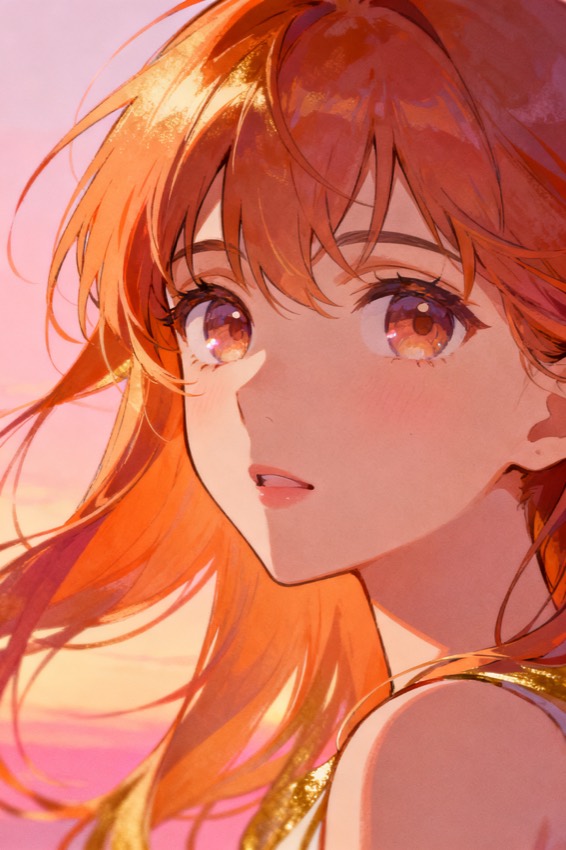
Convert this photo into a modern anime-style portrait: clean lineart, soft cel shading, expressive eyes, vibrant but balanced palette, keep recognizable features.
Subject
the uploaded person as anime
Composition
bust shot, dynamic
Lighting
soft cel-shaded light
Style
modern anime, clean lineart
Camera
illustration, not photo
Negative
photorealism, extra fingers, text
Try it yourself
Get a prompt like this from your own photo
Upload your image and PixToPrompt writes a copy-paste prompt — then tweak it like the template below.
Free & instant — no sign-up to get prompts
Your image
Or try one
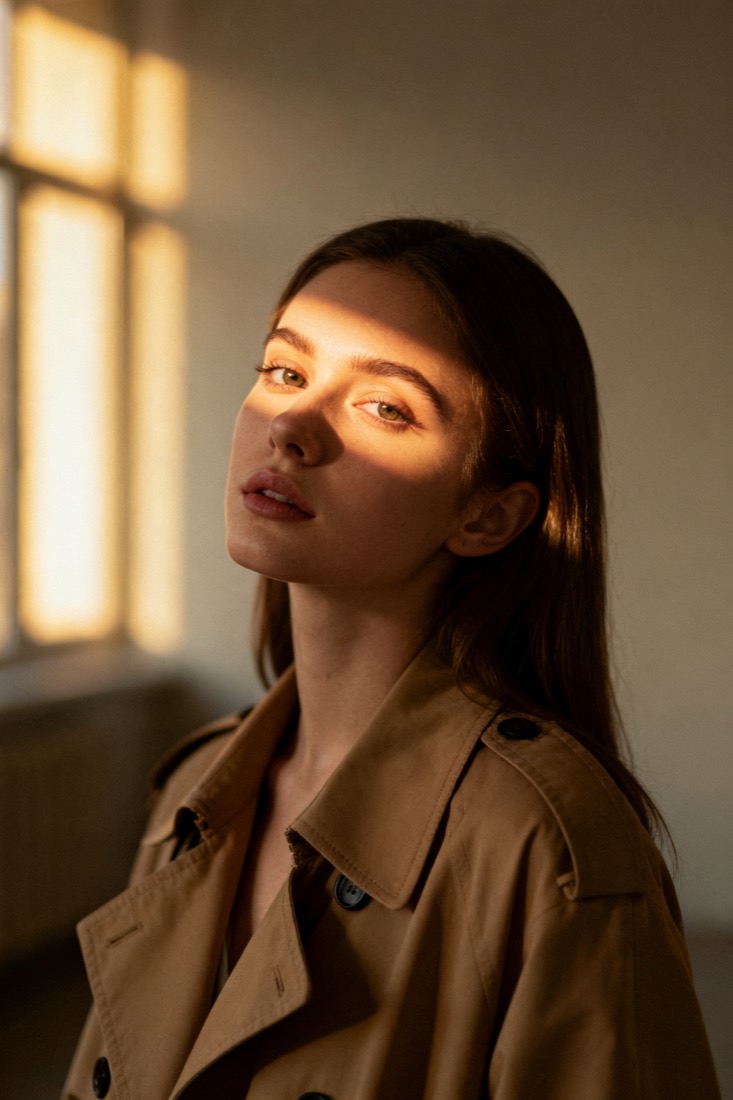
A cinematic waist-up portrait of a young woman in a beige trench coat, lit by soft window light, muted earth tones, shallow depth of field, shot on an 85mm lens.
Subject
woman, beige trench coat
Composition
waist-up, centered
Lighting
soft window light
Style
cinematic, muted
Camera
85mm, f/1.8
Negative
blur, extra fingers
Copy this prompt for any model
The same look needs different wording per model — the fields are identical, only the formatting changes. Copy the version your tool actually reads:
Convert this photo into a modern anime-style portrait: clean lineart, soft cel shading, expressive eyes, vibrant but balanced palette, keep recognizable features.
the uploaded person as anime, bust shot, dynamic, modern anime, clean lineart, soft cel-shaded light, illustration, not photo --ar 1:1 --style raw --v 6
the uploaded person as anime, bust shot, dynamic, modern anime, clean lineart, soft cel-shaded light, illustration, not photo, highly detailed
Negative prompt: photorealism, extra fingers, text
About this look
An anime style portrait prompt converts a photo into a modern anime illustration — clean lineart, soft cel shading, and expressive eyes. The look hinges on style words that pull the model away from photography: modern anime, clean lineart, and soft cel-shaded light tell it to draw rather than render, while a vibrant but balanced palette keeps the colours from blowing out. A dynamic bust shot gives it energy, and the negatives — photorealism, extra fingers, text — are essential, since they stop the model from drifting back toward a realistic photo or scrawling captions. Tip: keep recognizable features in the prompt and use a clear front-facing source so the stylised face still reads as the same person.
Why this prompt works
Turning a photo into anime is really about stopping the model from staying photographic, and the style words do exactly that. Modern anime, clean lineart instructs it to draw defined outlines instead of rendering continuous tone, while soft cel-shaded light replaces photographic gradients with the flat shadow blocks that define the medium. A vibrant but balanced palette keeps colours saturated in the anime way without blowing out into neon. A dynamic bust shot gives the pose the energy the style expects. The negatives do the most important work here: excluding photorealism stops the model from splitting the difference into an unsettling half-real face, and blocking extra fingers and text removes the two most common artefacts — mangled hands and random captions. Because anime stylises proportions hard, distinctive cues like hairstyle and face shape — not skin detail — are what carry your likeness through.
The ideal source photo
Use a clear, front-facing photo where your distinctive features — hairstyle, face shape — are easy to read, since anime stylises proportions heavily and leans on those cues for likeness. Even lighting and a simple background help the lineart stay clean. Avoid extreme angles, heavy shadows, or busy backdrops the model has to interpret. A sharp, well-lit source gives the crispest lineart and shading.
How to use this prompt
- 1Use a clear, front-facing source so the stylised face still reads as the same person.
- 2Copy or load the prompt and keep the modern anime, clean lineart and soft cel-shaded cues.
- 3Generate with Stable Diffusion (anime checkpoint), Midjourney, or an editing model, and check for stray text.
What to expect
A good result is a clean anime illustration — crisp lineart, flat cel shading, expressive eyes — that still reads as you through hairstyle and face shape, not a half-photo hybrid. There should be no stray text or mangled hands. Style lands differently each run, so generate a few and keep the one that balances likeness with the anime look rather than re-prompting a single output over and over.
Tips for a sharper result
- Always exclude photorealism — without it the model produces a half-real, half-anime face.
- Keep recognizable features (hairstyle, face shape) since anime stylises proportions heavily.
- Hold extra fingers and text in the negatives to avoid scrawled captions and hand artifacts.
Common mistakes
- Half-real, half-anime facealways exclude photorealism in the negatives.
- Doesn't read as youkeep recognizable features and start from a clear, front-on photo.
- Stray captions or bad handskeep text and extra fingers in the negatives.
Variations to try
- Name a sub-style — 90s cel anime, modern digital, chibi, or shoujo — to shift the whole look.
- Add a background scene (a classroom, a city at dusk, falling sakura) for a finished illustration.
- Switch soft cel shading for heavier ink-and-screentone for a manga-panel feel.