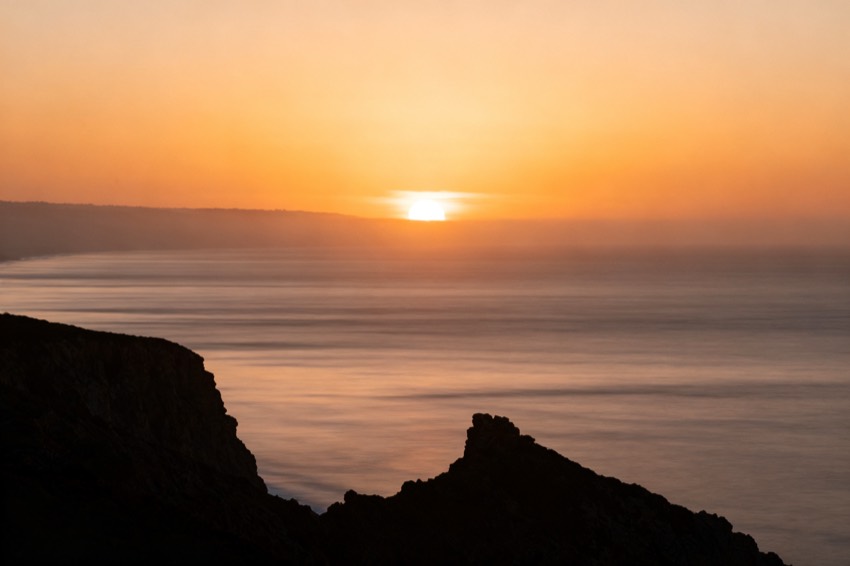
Recreate this landscape at golden hour: warm backlight, long shadows, layered atmospheric depth, rich but natural color, wide 24mm perspective.
Subject
the uploaded scene at golden hour
Composition
layered depth, rule of thirds
Lighting
warm golden backlight
Style
epic, atmospheric
Camera
24mm wide
Negative
flat light, noise, overexposed
Try it yourself
Get a prompt like this from your own photo
Upload your image and PixToPrompt writes a copy-paste prompt — then tweak it like the template below.
Free & instant — no sign-up to get prompts
Your image
Or try one
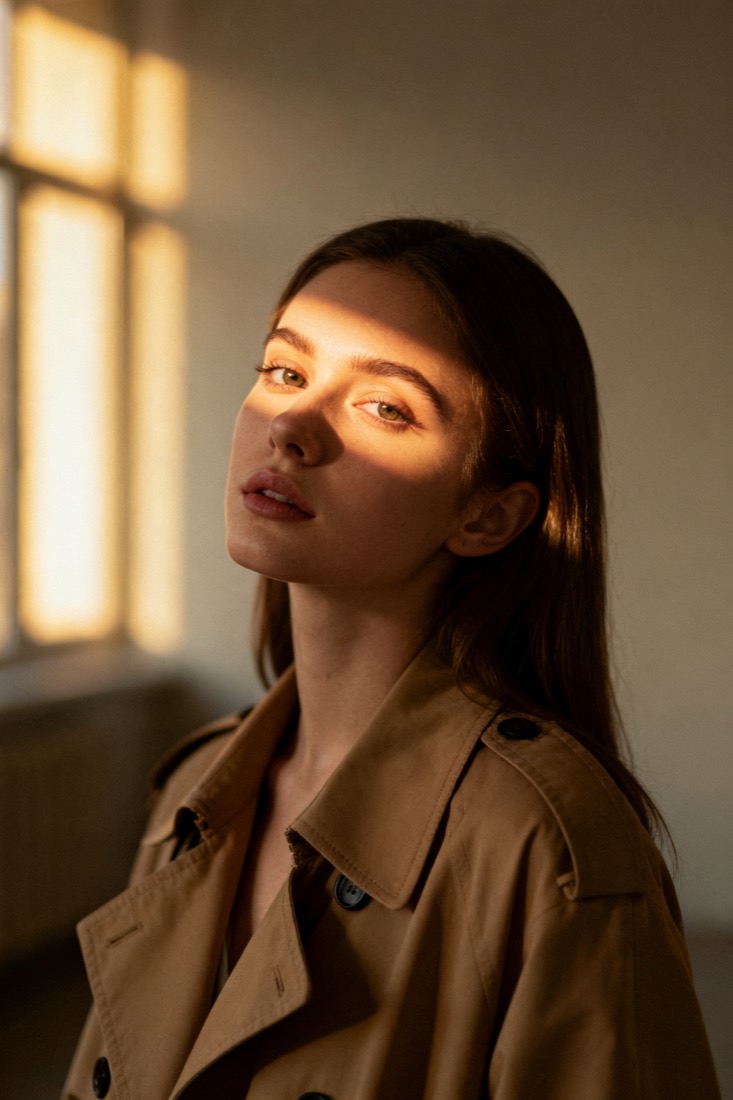
A cinematic waist-up portrait of a young woman in a beige trench coat, lit by soft window light, muted earth tones, shallow depth of field, shot on an 85mm lens.
Subject
woman, beige trench coat
Composition
waist-up, centered
Lighting
soft window light
Style
cinematic, muted
Camera
85mm, f/1.8
Negative
blur, extra fingers
Copy this prompt for any model
The same look needs different wording per model — the fields are identical, only the formatting changes. Copy the version your tool actually reads:
Recreate this landscape at golden hour: warm backlight, long shadows, layered atmospheric depth, rich but natural color, wide 24mm perspective.
the uploaded scene at golden hour, layered depth, rule of thirds, epic, atmospheric, warm golden backlight, 24mm wide --ar 1:1 --style raw --v 6
the uploaded scene at golden hour, layered depth, rule of thirds, epic, atmospheric, warm golden backlight, 24mm wide, highly detailed
Negative prompt: flat light, noise, overexposed
About this look
A golden hour landscape prompt recreates the warm, low-angle light just after sunrise or before sunset — long shadows, a glowing backlight, and rich but natural colour. The prompt works by naming the time of day and the light direction (warm golden backlight) rather than just saying sunset, plus a 24mm wide perspective and layered atmospheric depth to give the scene scale. Rule-of-thirds composition keeps it balanced, and the negatives — flat light, noise, overexposed — guard against the three things that flatten a landscape. Tip: choose a source with clear foreground, midground, and background layers; the model leans on that depth to make the golden light feel three-dimensional rather than pasted on.
Why this prompt works
Golden hour is a direction-of-light problem more than a colour problem, and the prompt treats it that way. Warm golden backlight places the sun low and behind the scene, which is what produces the long shadows, glowing rim-lit edges and gentle haze the eye reads as sunrise or sunset — far more specific than asking for sunset, which a model often paints as a flat orange sky. A 24mm wide perspective with layered atmospheric depth gives the scene scale, letting near, middle and far planes recede with that slight golden haze. Rule-of-thirds keeps the horizon and subject balanced. The negatives — flat light, noise, overexposed — guard the three things that flatten or cheapen a landscape. Crucially, the model leans on real depth layers in your source to make the light feel volumetric, so a foreground / midground / background composition pays off far more than a single flat plane.
The ideal source photo
Choose a landscape with clear foreground, midground and background layers — the depth is what makes the golden light feel three-dimensional. A sharp, level shot with a visible horizon gives the model the structure to relight. Avoid flat, single-plane scenes, heavy haze, or a blown-out sky in the source. A composition that already follows the rule of thirds will hold its balance through the regrade.
How to use this prompt
- 1Choose a source with clear foreground, midground and background layers.
- 2Copy or load the prompt, keeping the warm golden backlight, 24mm perspective and rule-of-thirds.
- 3Generate with Midjourney or Flux and check the light feels three-dimensional, not pasted on.
What to expect
A good result has low, warm backlight, long shadows and clear depth from foreground to horizon — rich but natural colour, not a flat orange wash. The scene should feel three-dimensional. Light and haze vary between runs, so generate a few and keep the one with the most convincing depth; if it looks flat, start from a source with stronger foreground, midground and background layers.
Tips for a sharper result
- Name the time of day and the light direction — asking for sunset alone is read inconsistently.
- Keep overexposed in the negatives; pushing saturation past natural colour looks fake rather than golden.
- Depth layers carry the glow, so avoid flat, single-plane source shots.
Common mistakes
- Flat orange sky, no depthkeep warm golden backlight and layered depth, and use a source with real depth layers.
- Looks fake or oversaturatedkeep natural color, and overexposed in the negatives.
- Cramped framingkeep the 24mm wide perspective.
Variations to try
- Set the location — coast, desert, alpine, city skyline — to anchor the kind of depth layers it builds.
- Switch to blue-hour or overcast direction for a cooler, softer mood while keeping the depth.
- Add foreground elements (grasses, rocks, a lone figure) to strengthen the sense of scale.